
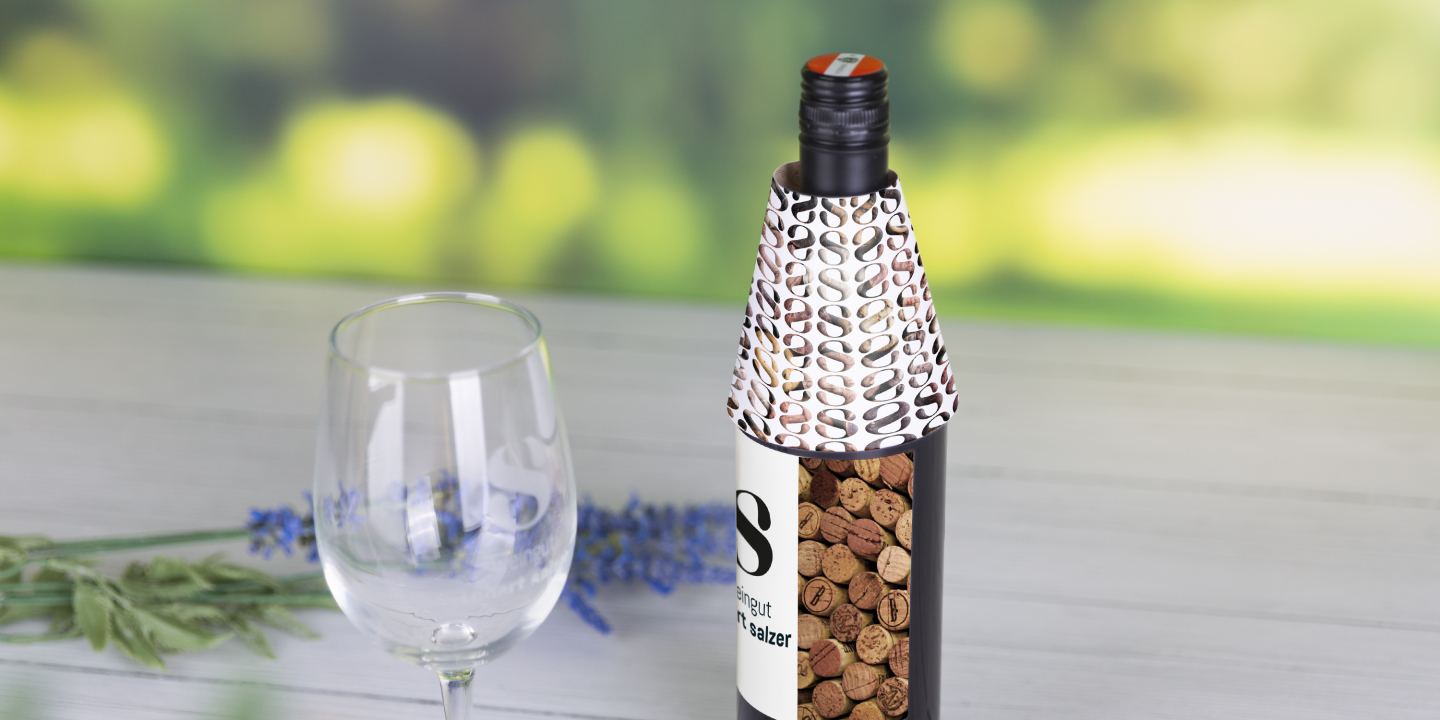
Bottle labels with UV varnish
Practical drip protection with UV varnish for bottles
- Product size and print format (WxH): 225 x 112 mm, printable over the entire surface
- Material: 300g art paper
- Finishing:
- single-sided partial UV varnish
- Full-surface UV varnish on both sides
- Print: one or two-sided in colour
- Print data: Upload the data
- Order quantity: from 25 pieces
Please upload print data as PDF, image or office file
Image and office files are only converted into a PDF before printing. We will send you this PDF as a proof by e-mail before printing.


Layout templates
practical information and stand sheets

Print data requirements
Everything about image resolution and PDF creation

Print data creation with MS Word
Embed fonts, save PDF from Word

Graphic design studios & agencies
Here you can find graphic studios in your area

Information on uploading files
You can upload your finished print data in the last step of the ordering process
Tip: Choice of several motifs/subjects
If you have selected several different motifs or subjects for an order, we recommend the following procedure:
- Save the print data for each motif individually in PDF format. If your order includes front and back sides, combine them in one PDF.
- Compress all individual PDF files in a zip file.
- Use the print data upload in the order process to upload the zip file with all the print data.
This ensures that your various motifs are processed correctly and contributes to the smooth processing of your order. If you are unsure, simply select "free professional data check" in the order process and your files will be checked manually by our professionals.
| Material | Printing process | Field of application | Environment/Certificates | to note |
|---|---|---|---|---|
Glossy art paper Wood-free, white (slightly tinted) art paper with a glossy finish, excellent colour reproduction  |
| Thanks to the smooth surface, images and photos appear more vibrant in digital printing than on textured paper. |