Select multiple delivery addresses per order
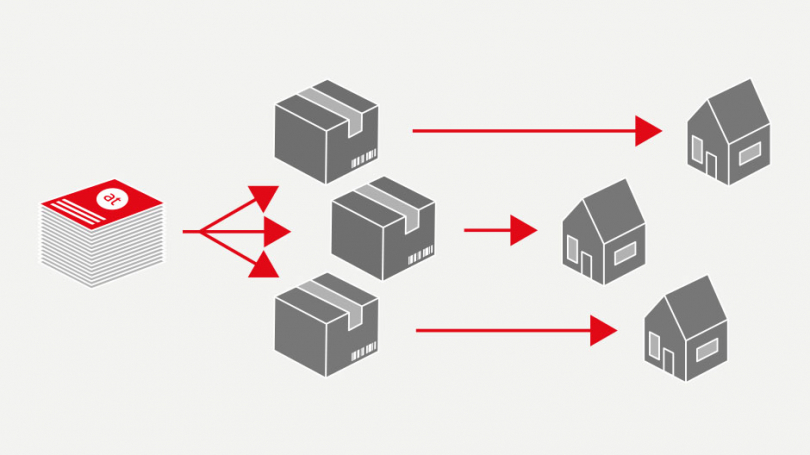
Did you know? With us, you’ll find that druck.at the option to place your order on different delivery addresses to be divided up – the perfect solution for your products quick and efficient to their chosen destination.
How it works:
Step 1: Add desired delivery addresses
This new feature is available as standard for many of our products. To use it, simply select the option in your shopping basket when placing your order “Delivery to other address(es) – multiple delivery addresses are possible for this product” and select your first delivery address for the product. You can then use the ‘+Delivery address’ button to add further delivery addresses for the same product.
Please note that all addresses must be in the same country. This means that if, for example, your first address for the selected product is in the destination country of Austria, the other delivery addresses for the same product must also be in Austria.

This allows you to add as many recipients as you like. The first address per order for standard delivery is free of charge. A fee is charged for each additional delivery address in that order. The Advantage is that you can not only place your order efficiently to different delivery addresses not only distribute them, but also, due to the higher order quantity, a lower total price achieve.
Please note that, for organisational and production-related reasons, the option to split your delivery across different addresses is not available for all products. We would also like to point out that You You can also order up to 8 items per shopping basket to different delivery addresses free of charge via standard delivery; only splitting a single order incurs an additional charge.
Step 2: Allocate order quantities to delivery addresses
Once you have added all your delivery addresses, you can split your order quantity between the different addresses by Enter the desired quantity in the field provided. You also have the option to “Distribute the total quantity evenly across delivery addresses” Click here to set up automatic distribution. This will distribute the order quantity evenly across your delivery addresses – should the total be an odd number, our system will automatically round it up.

Let’s get started – druck.at We look forward to receiving your orders!