Reorder past orders and print files – including a tutorial
Sometimes everything goes so perfectly that you Easily reorder a print job exactly as before – whether it’s because the last batch of flyers went down well or because the print files haven’t changed. Good news: with us, you can reuse previous Placing repeat orders is really easy, with minimal effort. Here we’ll show you two functions, how to Reorder jobs or print files with just a few clicks You can – quickly, easily and stress-free. Whether it’s business cards, brochures or posters – we make the reorder process as simple as possible for you!
1 | Reorder
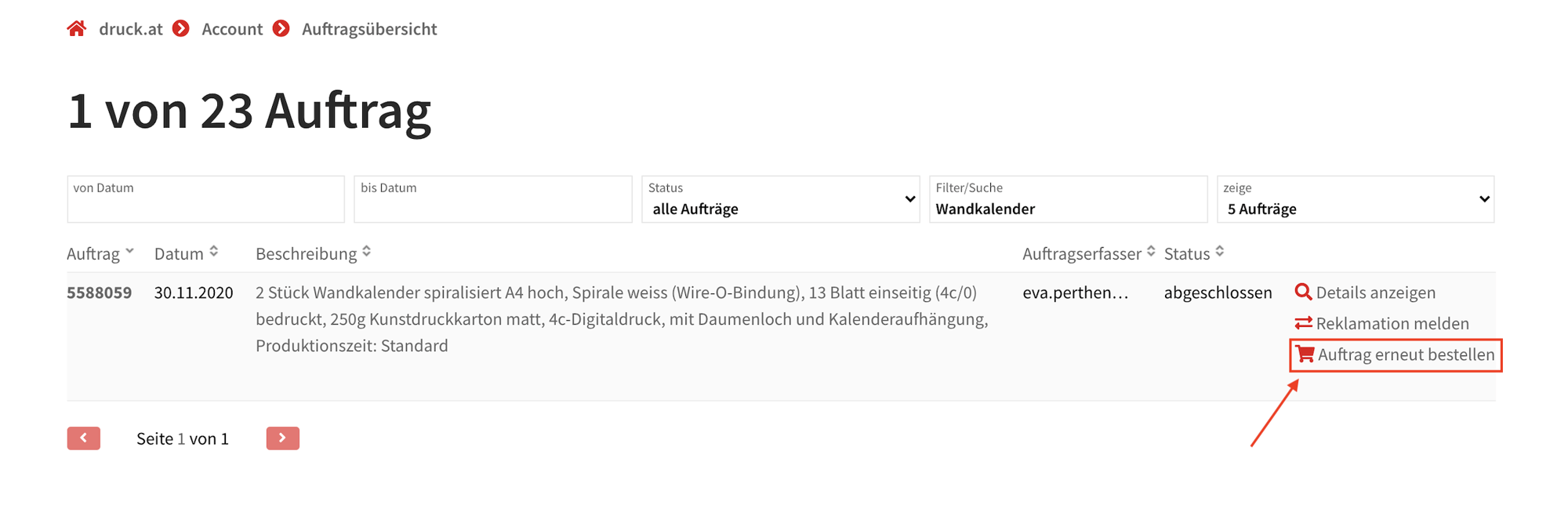
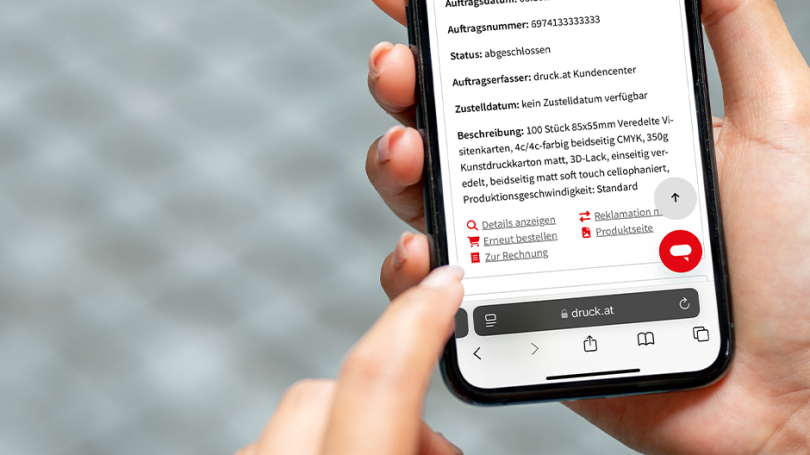
In your personal customer area, you’ll find your order overview. All your orders are clearly listed and summarised there. Via the Small shopping basket with the option ‘Reorder’ you can Easily reorder previous orders. With a single click, your previous order is copied and added to your basket unchanged. All product details and the print run from the original order are retained. The print files are not automatically carried over, as we assume these may have changed. You can upload them as usual in the final step of the ordering process. This saves you time and allows you to reorder your print jobs quickly and easily!
2 | Reorder print files
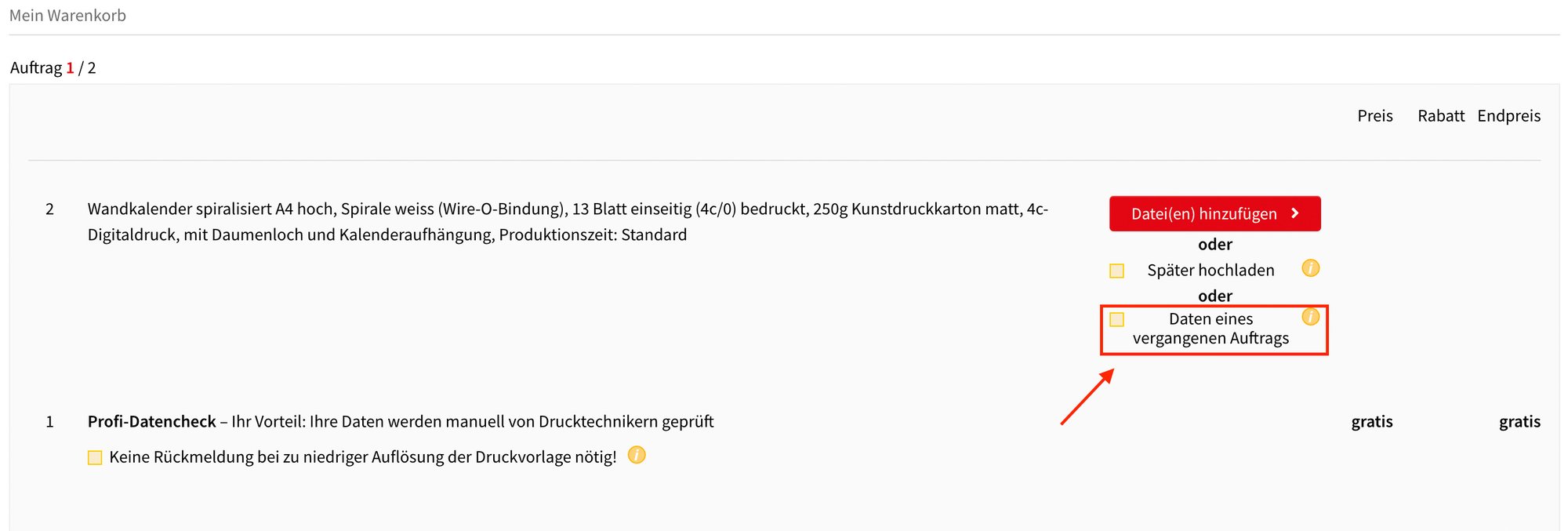
In the final step of the ordering process As usual, you have the option to upload your print files straight away or later. You can also use the field “Details of a previous order” use. If you select this option, a window will open listing all your previous orders. Under ‘View details’, you can view all the information relating to printing orders that have already been completed. If you click ‘Select’ next to the desired print data, this will Added directly to your new order. Once you’ve made your selection, a preview of the chosen print data and the corresponding order number will automatically appear for the new print job. This way, you can easily Easily and conveniently use the details from a previous order for your new order.
In the unlikely event that the print files have not been archived, the druck.at customer centre will contact you. Please note: We print the files exactly as they are and do not make any corrections to the content.